

Go to Windows platform Display platforms icon
Go to Windows platform Go to Mac platform Go to Android platform Go to iOS platform
HP OMEN Gaming Hub icon

HP OMEN Gaming Hub

1101.2609.11.0
5 1 reviews
103.8 k downloads
security security

The official HP app for improving your PC's performance

Advertisement
Remove ads and more with Turbo
Advertisement
Remove ads and more with Turbo
Alberto García icon
Reviewed by
Alberto García
Developer’s Operations and Support
Alberto García is part of Uptodown's in-house Editorial Team. Translated by Uptodown Localization Team

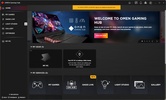
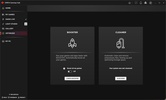
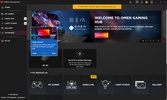
HP OMEN Gaming Hub is the official HP OMEN app for Windows. The OMEN segment of HP corresponds to its range of gaming computers and peripherals. From the app, you can not only manage all the peripherals and devices you have from this company, but you can also do many other things.

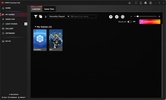
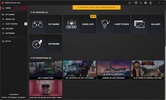
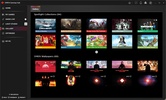
For example, HP OMEN Gaming Hub detects all the games and emulators that you have installed on Windows. Thanks to this, you can launch them directly from the same program without having to look for the shortcuts of each one, and you can also activate the Booster mode automatically when opening it.

Advertisement
Remove ads and more with Turbo

Basically, what the Booster mode does is close all the unnecessary programs you have running in the background that might limit valuable FPS for many games. In turn, you can also apply a low consumption mode for less demanding games. From HP OMEN Gaming Hub, you can even get rewards simply by playing games.

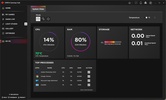
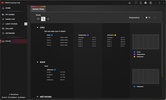
HP OMEN Gaming Hub also includes a hardware and software monitoring system. With it, you can see in real time the consumption of CPU resources, RAM, or the network card.

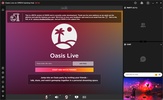
Other features include Oasis Live, where you can connect to make calls to your friends without having to install other software, as well as enjoy live content at 60 FPS.

Some features are only available if you have HP computers or peripherals, such as fan control or accessory management. Therefore, if you have a gaming computer, downloading HP OMEN Gaming Hub is an excellent option.

HP OMEN Gaming Hub is for you if

✓ You want centralized control of your HP OMEN PCs, peripherals, games, and performance modes
✓ You value auto game boosting, background app shutdown, and low-power profiles to maximize FPS
✓ You seek real-time hardware monitoring and built-in voice calls and streaming without extra software

Information about HP OMEN Gaming Hub 1101.2609.11.0

Basic information

Developer HP Inc.
Category Gaming Tools
Rating All ages
Languages English

Distribution model

Pricing Free
License Proprietary
Copyright © 2026 HP Inc.
Why is this app published on Uptodown? (More information)

Security and privacy

Required permissions Not applicable
See security and antivirus report

Download info

Downloads 103,823
Date Oct 14, 2026
File type MSIX
Size 300.41 MB
SHA256 6f814900dccd893166094bc8c2504ac43c66413aa2d1f59ea65d5f08c301110e
Advertisement
Remove ads and more with Turbo

Older versions

See more
msix 1101.2609.3.0 Sep 16, 2026
msix 1101.2608.3.0 Sep 1, 2026
msix 1101.2608.1.0 Aug 19, 2026
msix 1101.2607.3.0 Jul 29, 2026
msix 1101.2607.1.0 Jul 22, 2026
msix 1101.2606.4.0 Jul 8, 2026

Rate this App

Review the app
HP OMEN Gaming Hub icon

Rating

5.0
5
4
3
2
1
1 reviews

Comments

There are no opinions about HP OMEN Gaming Hub yet. Be the first! Comment

Advertisement
Remove ads and more with Turbo
MSI Dragon Center icon
Take control of your PC's performance
PS Remote Play icon
Control your PlayStation 4 or 5 from your PC
PS3 System Software Update icon
Update your PlayStation 3 system software
Steam icon
The quintessential PC video game platform
Roblox Studio icon
Create, publish, and monetize projects on Roblox
Script Hook V icon
The library for installing mods and scripts in GTA V
NVIDIA App icon
The official NVIDIA app for your graphics card
Epic Games Launcher icon
Official launcher for the Epic Games Store
MSI Afterburner icon
Make the most of your graphics card
OCCT: OverClock Checking Tool icon
Easily detect any overclock and/or hardware problems
MSI Dragon Center icon
Take control of your PC's performance
iCUE icon
Manage all the Corsair devices on your computer
AI Suite 3 icon
Monitor your computer and update your ASUS software
SignalRGB icon
Control and synchronize your PC lighting
FanCtrl icon
Control your PC's fans
Fan Control icon
Control the speed of your PC's fans
Among Us icon
Find out who the impostor is on PC too
Five Nights at Freddy's icon
Hide from Freddy Fazbear in the dark
PS Remote Play icon
Control your PlayStation 4 or 5 from your PC
Free Fire icon
Garena's battle royale, now on PC
EA Sports FC Mobile 27 (FIFA Soccer) icon
The mobile version of FIFA, now on Windows
Minecraft icon
Build, create and give free rein to your imagination.
LDPlayer 14 icon
Play mobile games on PC with the power of Android 14
eFootball 2027 icon
Feel the magic of soccer on PC